
Demo :
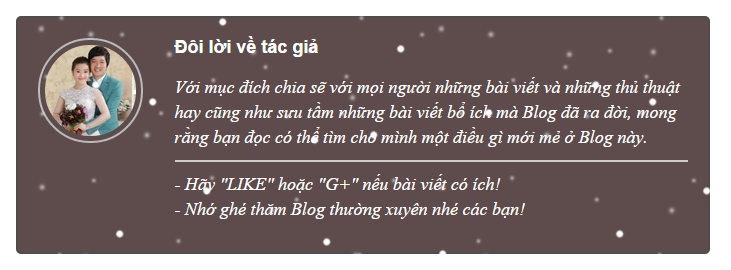 + Hướng dẫn :
Bước 1: Thêm đoạn code sau vào trên thẻ đóng ]]></b:skin
Bước 2: Thêm đoạn code sau vào vị trí mà bạn muốn đặt khung thông tin tác giả, mình hay đặt sau thẻ <data:post.body/>
Bước 3 : Lưu lại và chỉnh sửa các ghi chú sao cho phù hợp với Blog của bạn.
Bước 1: Thêm đoạn code sau vào trên thẻ đóng ]]></b:skin
#authorbox {
width: 650px;
background: #5E4C4C;
margin: 25px 0 35px;
padding: 20px;
overflow: hidden;
border: solid 2px #4E4C4C;
border-radius: 5px;
-moz-border-radius: 5px;
-webkit-border-radius: 5px;
-o-border-radius: 5px;
-ms-border-radius: 5px;
}
#authorbox a {
font-size: 18px;
line-height: 1em;
font-weight: 700;
color: #FFF !important;
text-decoration: none;
}
#authorbox #author-Thumb {
float: left;
display: block;
width: 20%;
}
#author-Thumb img {
float: left;
width: 70%;
height: 100%;
border: 2px solid #bbb;
margin: 0;
padding: 5px;
text-align: center;
border-radius: 50%;
-moz-border-radius: 50%;
-webkit-border-radius: 50%;
-o-border-radius: 50%;
-ms-border-radius: 50%;
-moz-transition: all 1s;
-webkit-transition: all 1s;
-o-transition: all 1s;
}
#author-Thumb img:hover {
border-radius: 0;
-moz-border-radius: 0;
-webkit-border-radius: 0;
-o-border-radius: 0;
-ms-border-radius: 0;
-moz-transition: all 1s;
-webkit-transition: all 1s;
-o-transition: all 1s;
cursor: pointer;
}
#authorbox #author-Info {
float: right;
display: block;
width: 79%;
}
#author-Info p.author-Detail {
color: #fff;
font-size: 18px !important;
font-family:Lily Script One;
font-style: italic;
margin: 0;
padding: 10px 0;
}
#author-Info p#author-Detail-01 {
border-bottom: solid 2px #ccc;
}
#author-Info #social-menu {
float: left;
padding: 10px 0 0 5px;
position: relative;
}
#author-Info #social-menu ul {
overflow: hidden;
}
#author-Info #social-menu ul li {
float: left;
display: block;
margin: 0 7px 0 0;
}
#author-Info #social-menu ul li:hover {
opacity: 0.9;
}
#author-Info #social-menu ul li a {
float: left;
display: block;
text-decoration: none;
}
#author-Info #social-menu ul li a span {
float: left;
width: 32px;
height: 32px;
background-repeat: no-repeat no-repeat !important;
}
h6.social-title {
margin: 5px 15px 0 0 !important;
font-size: 18px;
line-height: 1em;
font-weight: 500;
color: #fff;
vertical-align: middle;}
Bước 2: Thêm đoạn code sau vào vị trí mà bạn muốn đặt khung thông tin tác giả, mình hay đặt sau thẻ <data:post.body/>
<div id='authorbox'> <div id='author-Thumb'>
<a href='https://plus.google.com/u/0/+H%C6%B0%E1%BB%9BngM%E1%BA%A1nhmanhuon90' onclick='target='_blank';' rel='author'><img alt='Author Image' src='https://lh4.googleusercontent.com/-0I0JsYN7ybg/VRAx1hIWjUI/AAAAAAAAkDA/Axu-VN0elcE/s516/8.jpg'/>
</a><div class='clear'/>
</div><!--XXXXXXXXXXXXXXXXXXXXXXXXXXXXXXXXX--><div id='author-Info'><h6><a href='https://plus.google.com/u/0/+H%C6%B0%E1%BB%9BngM%E1%BA%A1nhmanhuon90' title='ABOUT AUTHOR'>Đôi lời về tác giả</a></h6><p class='author-Detail' id='author-Detail-01'>Với mục đích chia sẽ với mọi người những bài viết và những thủ thuật hay cũng như sưu tầm những bài viết bổ ích mà Blog đã ra đời, mong rằng bạn đọc có thể tìm cho mình một điều gì mới mẻ ở Blog này.</p><p class='author-Detail' id='author-Detail-02'>- Hãy "LIKE" hoặc "G+" nếu bài viết có ích!<br/> - Nhớ ghé thăm Blog thường xuyên nhé các bạn!<br/>
</p><!--XXXXXXXXXX--><div class='clear'/></div><!--END: #AUTHOR-INFO--></div>
Bước 3 : Lưu lại và chỉnh sửa các ghi chú sao cho phù hợp với Blog của bạn.
Sưu tầm | Edit

Đăng nhận xét